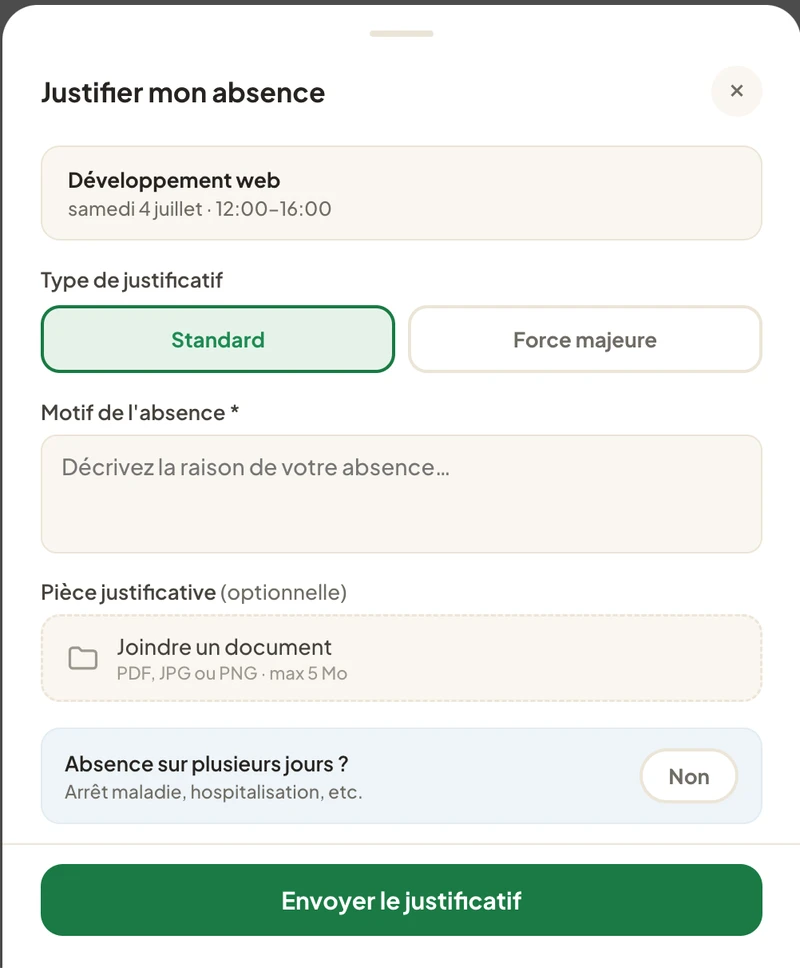
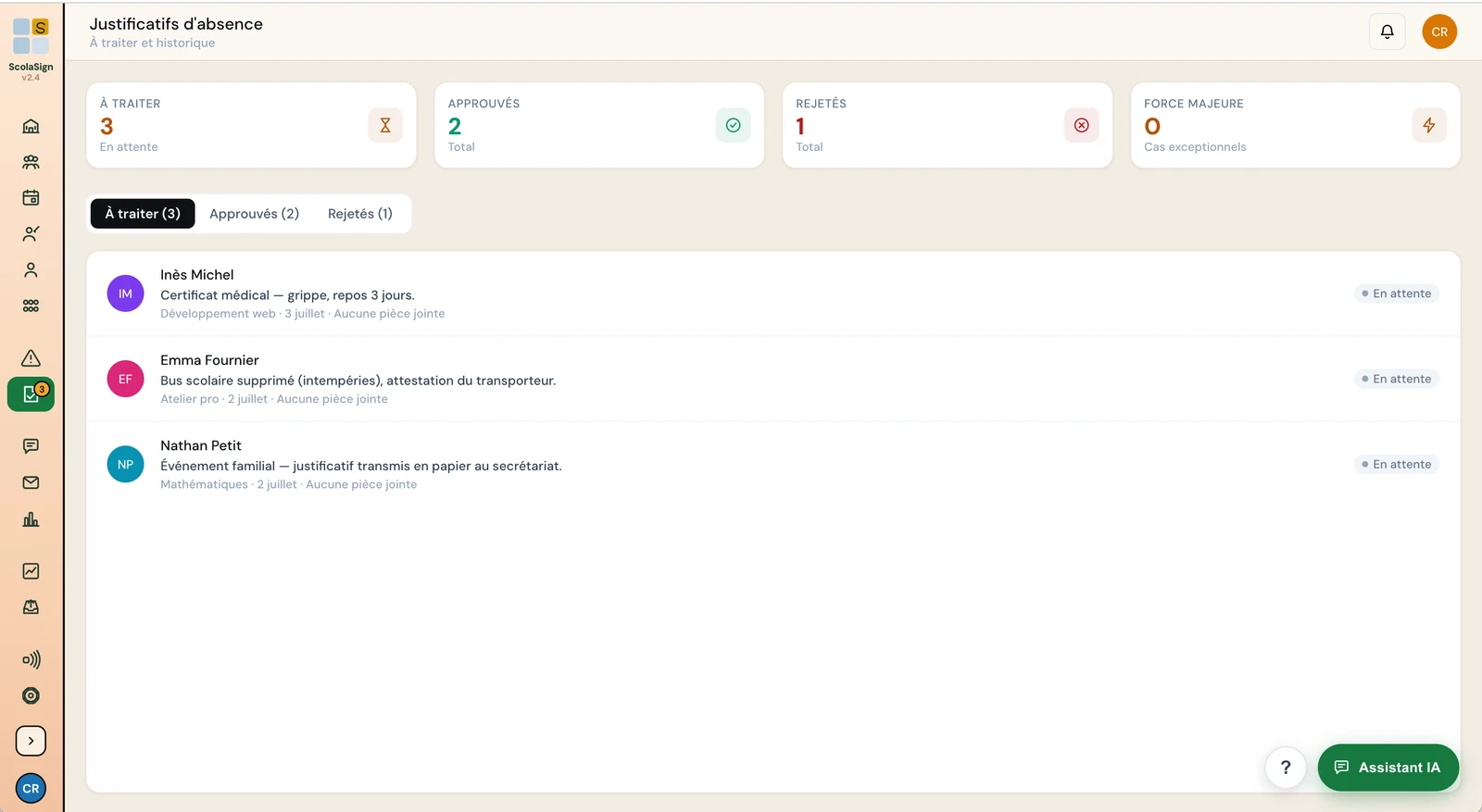
The learner takes a photo of the absence note and uploads it from the app; you approve it in two clicks. The reason is recorded, the absence switches from unexcused to excused, and your attendance statistics update themselves.
No more absence notes lost in a school bag or forgotten in an inbox. Everything is centralised, dated and easy to find.
In the app, the learner (or their parent, tutor or employer) takes a photo of the certificate, summons or letter, adds the reason and sends it.
On the centre side, the request arrives with the attachment. One look, two clicks: the absence note is accepted or rejected, with a comment if needed.
Once accepted, the absence is marked as excused. The attendance rate, exports and dashboards reflect it immediately.
Medical certificate, summons, employer letter: the learner takes a photo or attaches a PDF, directly in the app. The document arrives attached to the right absence, on the right date.
You approve or reject each absence note from the console. The decision is dated and attributed. The excused absence is removed from the unexcused count, with no re-entry and no side spreadsheet.
Paperless absence notes feed the parent, tutor and employer follow-up and your attendance statistics.
Attendance rates by class, trainer and course, always up to date.
Find out more →Parents and tutors can also upload absence notes from their own account.
Find out more →QR code, email link or NFC: learners sign in whether they attend remotely or in person.
Find out more →A photo taken with the phone or a PDF file. That covers medical certificates, official summonses, employer letters and other usual documents. The document stays attached to the absence concerned.
The learner from their app, and the parent, tutor or employer from their own account. Approval remains the responsibility of the centre.
It is still recorded as an absence, but marked as excused: it is shown separately from unexcused absences in dashboards and exports, which gives an accurate picture of actual attendance.
Yes. Each absence note keeps its attachment, its reason, its upload date and the approval decision (with who made it and when). Everything can be retrieved at any time.
In ScolaSign, yes: it is the document the learner provides to explain an absence, such as a medical certificate, a summons or an employer letter. It is uploaded, attached to the absence concerned, then approved or rejected by the centre.
The learner opens the absence concerned, takes a photo of the document or attaches a PDF, chooses the reason and sends it. The centre receives the request, approves it in two clicks, and the absence becomes excused.
Yes. Each document stays attached to the absence, with its upload date and the decision taken. It can be found from the learner's record or from the export, which is enough in case of an inspection.
No, that is a different document: the attendance summary the centre provides to a funder or during an inspection. ScolaSign produces it from the statistics, as a time-stamped PDF export.
The uploaded document, its reason and the period covered, then approval or rejection in two actions.
English narration and subtitles; the interface shown is the French one. All video tutorials →
Try ScolaSign free for 14 days and take absence notes paperless, from upload to statistics.