← Attendance methods Attendance method

Dynamic QR code

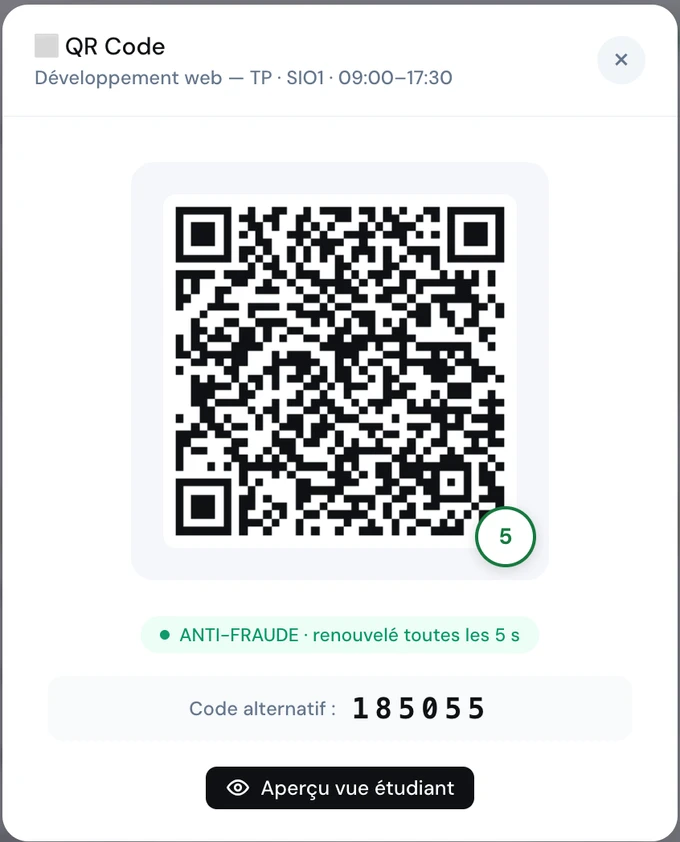
A code projected on the board, renewed every 5 seconds. Your learners scan it and sign from their phone: no way to cheat, and evidence that stands up to an audit.

How it works

Three seconds to sign in a whole class

From opening the session to the timestamped attendance sheet: no paper, no roll call.

1Open

The teacher starts the session

They first sign their own attendance, then the QR code appears on the board or the room's screen.

2Scan

Learners scan and sign

Each learner scans the code with their phone and draws their handwritten signature in a few seconds.

3Record

The timestamped sheet is generated

Attendance comes in in real time. The timestamped attendance sheet is ready for your audits. ScolaSign was built to meet some of the strictest attendance-evidence requirements in Europe: France's Qualiopi quality certification and the audits of French public training funders. Those rules apply only in France, but the same rigour serves training centres and schools everywhere.

Anti-fraud

A code that cannot be shared
or anticipated

The QR code regenerates every 5 seconds. A screenshot sent to an absent learner has expired before it even arrives.

  • Code renewed automatically every 5 seconds
  • Alternative 6-digit code for phones without a camera
  • Traceable electronic timestamp (EU eIDAS regulation)
  • The teacher must sign before sign-in opens to learners
Book a demo →
ScolaSign console: projected dynamic QR code, renewed every 5 seconds, with an alternative 6-digit code
For learners

One scan, one signature,
signed in

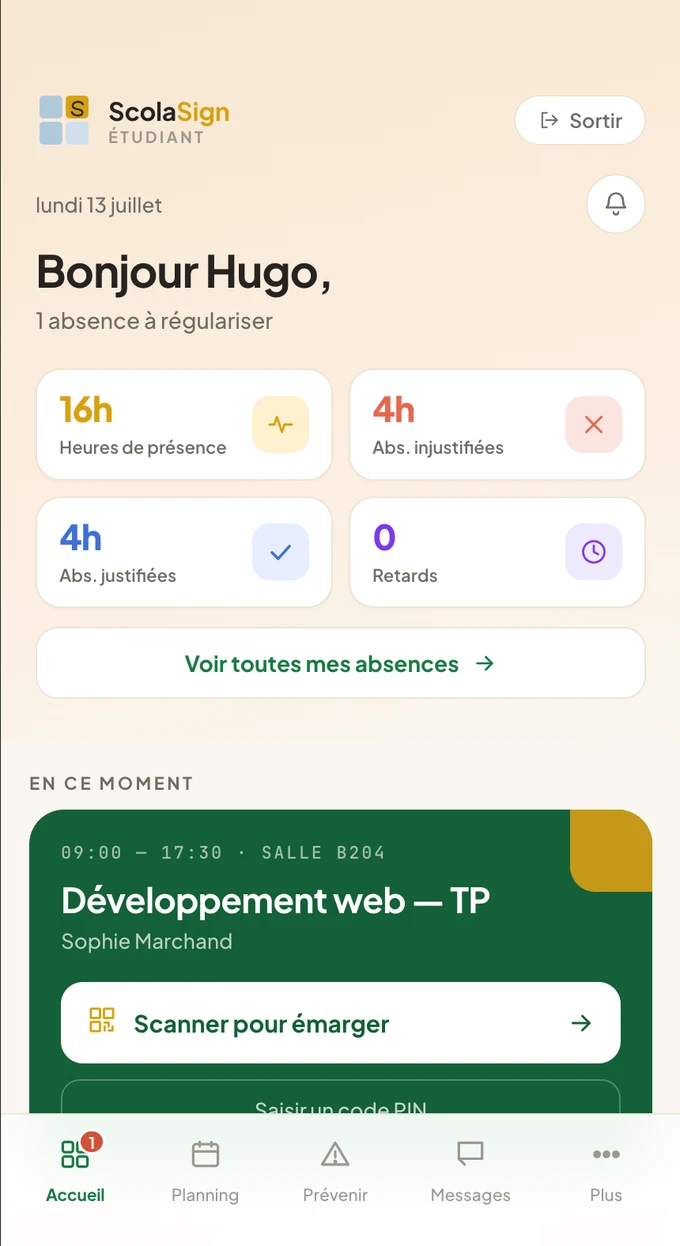
The learner opens the app, sees their current session and signs in within seconds, in the room or by video call.

  • Scan the QR code or type the PIN shown
  • Handwritten signature directly on the phone
  • Immediate attendance confirmation
  • Real-time view of their hours, absences and late arrivals
See the learner app →
ScolaSign learner app home screen: current session with a scan-to-sign button, attendance and absence counters (interface in French)
For the training centre

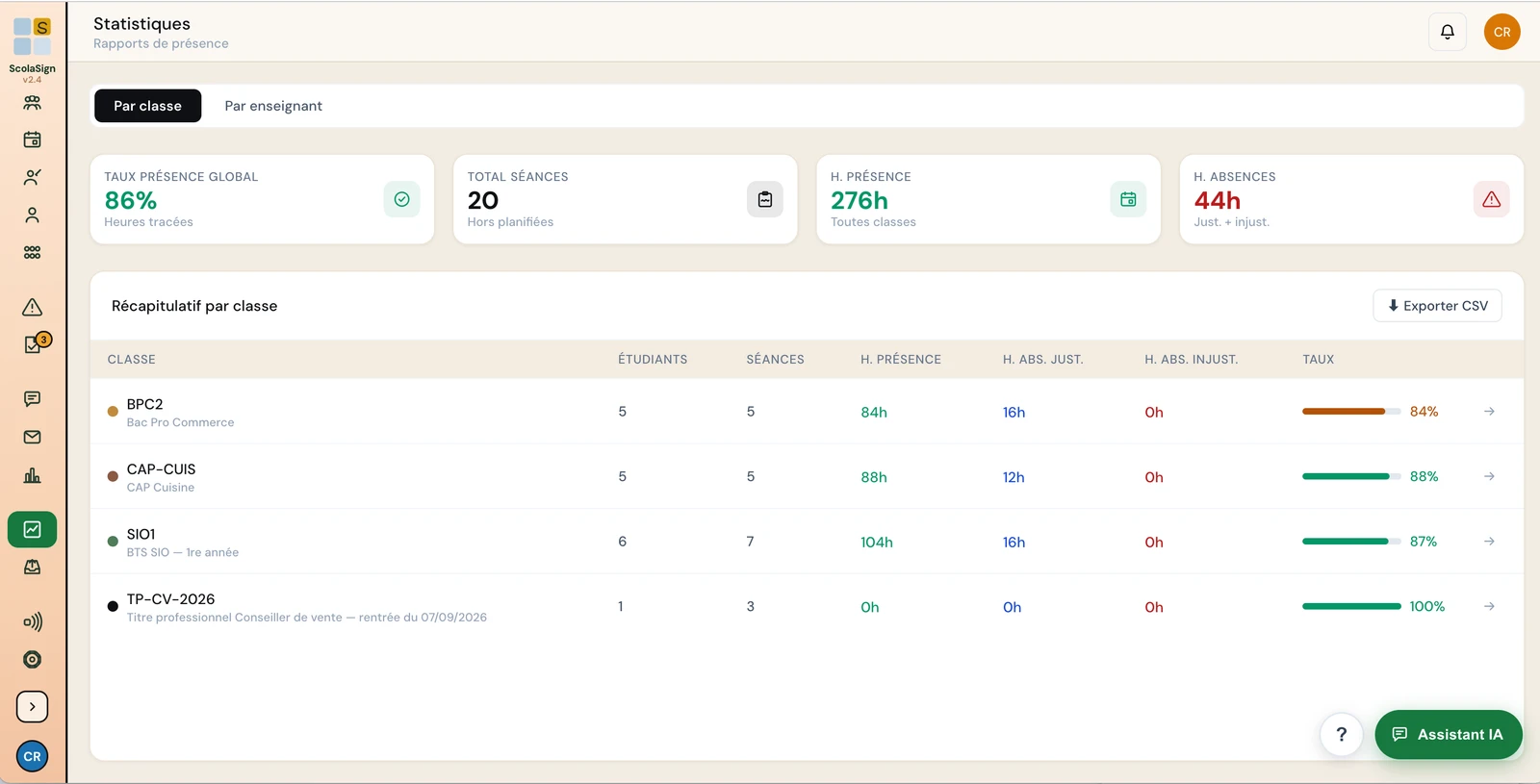
Real-time attendance tracking

As soon as a learner signs, their attendance appears on your dashboard. Attendance rates, current sessions and absence notes, at a glance.

ScolaSign console: real-time attendance tracking dashboard
Frequently asked questions

The dynamic QR code in practice

Why is the QR code "dynamic"?

The code displayed by the trainer is regenerated every few seconds. A screenshot sent to an absent learner becomes useless almost immediately: this is what prevents anyone from signing in on someone else's behalf.

Does the learner have to install an app?

No. Scanning and signing happen in the phone's browser, with nothing to install. A mobile app is also available for those who prefer it (on Google Play for Android), but it is not required.

What happens if a learner arrives late?

The trainer stays in control of when sign-in is open and can reopen it. The late arrival is recorded and timestamped, and remains visible in attendance tracking and in the exports.

Does the QR code work remotely or by video call?

Yes. The same principle applies remotely, through a link or a code shared on screen: attendance is recorded and timestamped in line with the EU eIDAS regulation, just as in the room.

Video

The QR code shown in the room, and what happens to it

The code opens from the session and renews continuously: photographing it for a classmate is pointless.

See all the video tutorials →

Ready to take paper out
of your attendance?

Test the dynamic QR code on your own courses. Personalised demo, no commitment.