← Attendance methods Attendance method

Attendance by email link

Each learner receives a secure signature link, single use and valid for 3 hours. They click, sign on their own device, and their attendance is timestamped: the ideal solution for distance learning and virtual classrooms.

How it works

Remote sign-in in three clicks

From sending the link to the timestamped attendance sheet: no paper, no roll call, wherever your learners are.

1Send

The link goes out by email

At the chosen moment, the teacher opens sign-in and a secure signature link is sent to each learner in the session.

2Sign

The learner clicks and signs

They open the link on their phone or computer and draw their handwritten signature on screen, with nothing to install.

3Record

Attendance is timestamped

The signature reaches the attendance sheet in real time, timestamped and ready for your audits.

Distance learning

Why an email link
for video calls?

When your learners are not in the room, there is no QR code to project and no tag to tap. The email link brings the signature to them, exactly where they are following the course.

  • Designed for virtual classrooms, e-learning and hybrid sessions
  • Works on phone and computer alike, with no app to install
  • Signatures come in in real time during your session
  • One-click reminder to a latecomer from the console
Try it free →
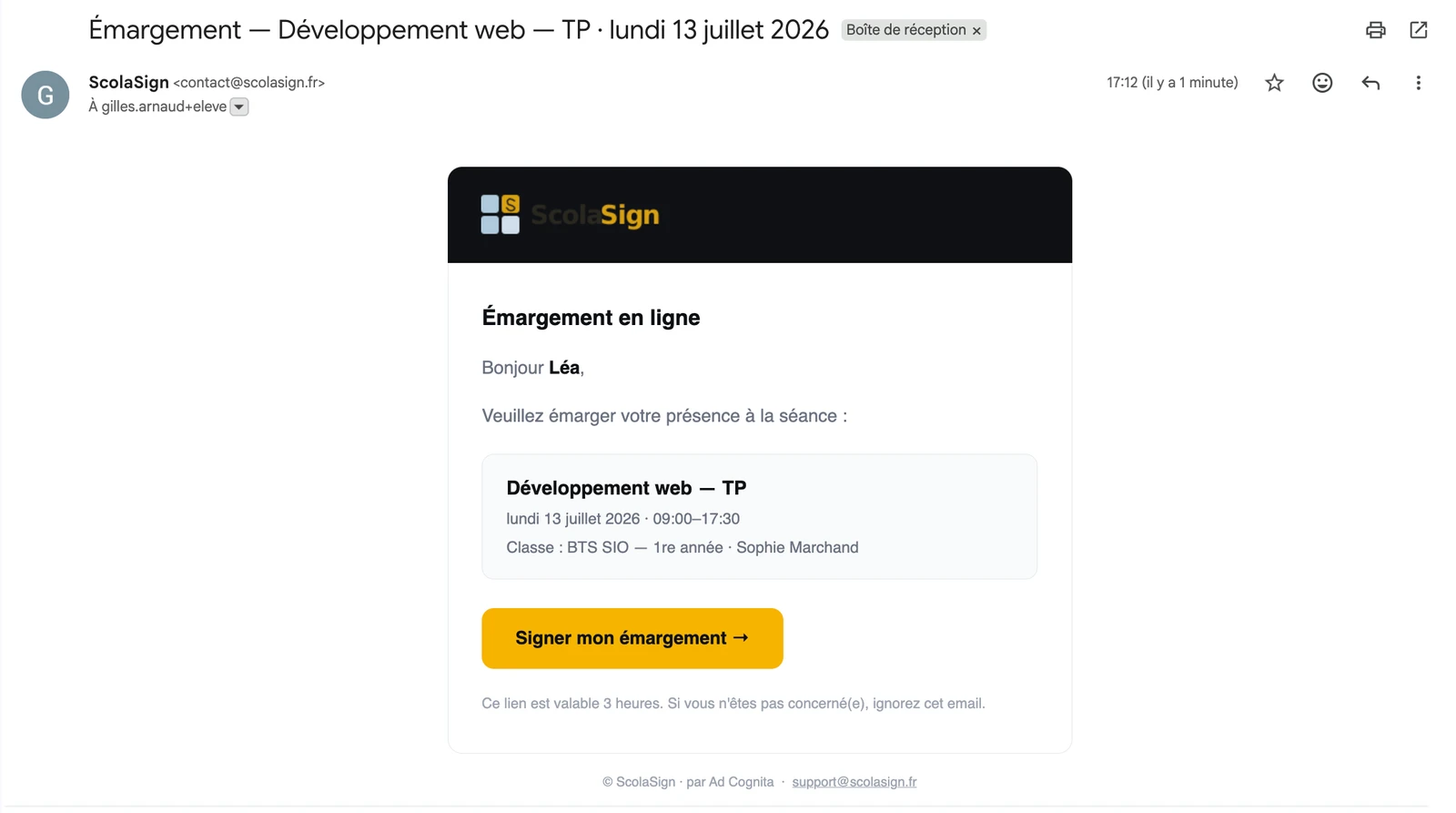
ScolaSign sign-in email received in the inbox: session title, date and signing button (interface in French)
A link that does not linger

Secure, single use,
valid for 3 hours

The signature link is not just an email: it is limited in time and in use so that it remains reliable evidence, even remotely.

  • Single use: once signed, the link is used up
  • Validity limited to 3 hours
  • Electronic timestamp on every signature
  • Traceability of the actual signatory in PDF, Excel and CSV exports
See the anti-fraud approach →
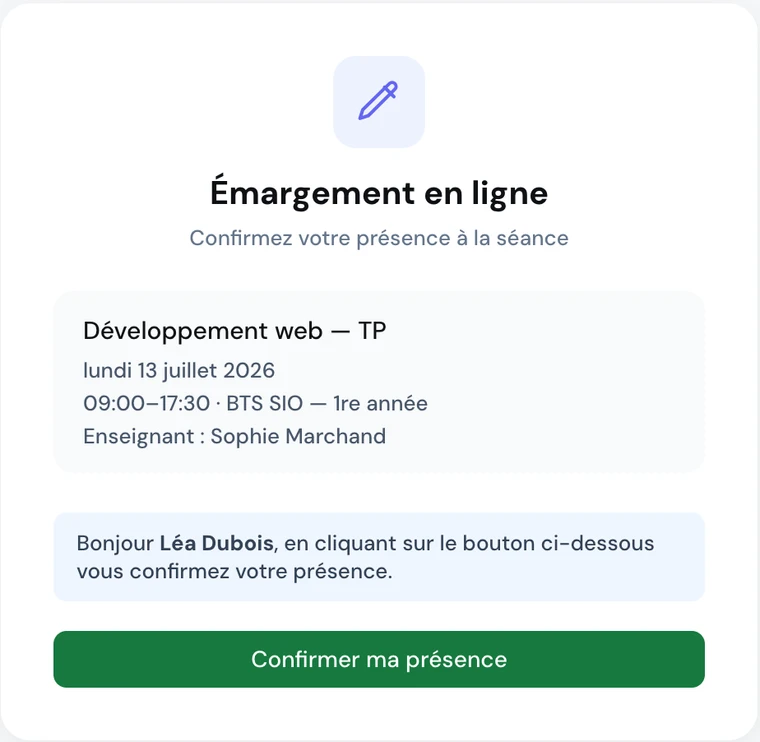
ScolaSign signature page opened from the email: session summary and attendance confirmation button (interface in French)
Choosing the right method

Remote learning is only part of the picture

Email sign-in is one of ScolaSign's remote attendance methods. You choose, session by session, the one that suits the context: they all feed the same attendance sheet.

Frequently asked questions

Attendance by email link: your questions

How do I take attendance for a remote session by video call?

At the moment you choose during your virtual class, email sign-in sends each learner a secure signature link. The learner receives it in their inbox, clicks and draws their handwritten signature on their phone or computer screen. Their attendance is recorded and timestamped exactly as in the room. The trainer sees the signatures come in in real time and can send a reminder to latecomers without leaving the session. The attendance sheet produced is identical to that of an in-person session, ready for your audits.

How long does the signature link remain valid?

The link is valid for 3 hours and can be used once. That is ample time for a training session while closing the door to late sharing: once the signature is made, the link is used up and cannot be used again. If a learner is late or has a problem, the teaching team can send them a new link in a few seconds. The learner needs no installed app: they sign directly in their browser.

Is email sign-in accepted as evidence in an audit or inspection?

Yes. Every signature made through the email link is electronically timestamped. The EU eIDAS regulation (Article 25) ensures that an electronic signature cannot be denied legal effect or admissibility as evidence solely because it is electronic. The attendance sheet generated brings together the learners' signatures, the teacher's signature and the timestamps, on a document designed for audits. Your PDF, Excel or CSV exports can therefore be used directly to justify remote attendance to an auditor or a funder. ScolaSign was built to meet some of the strictest attendance-evidence requirements in Europe: France's Qualiopi quality certification and the audits of French public training funders. Those rules apply only in France, but the same rigour serves training centres and schools everywhere.

What if a learner does not receive their signature email?

The teaching team can resend a link at any time from the session details. It is also possible to switch to another attendance method for that learner: the dynamic QR code if they are in the room, or attendance marked manually with a confirmation email. Check that the learner's email address is correct in their record and that they also look in their spam folder. No learner is ever stuck: several fallback options coexist within the same session.

Video

Sending the link, on the trainer's side

From the attendance sheet, a personal link goes to the learners who could not scan.

See all the video tutorials →

Have your learners sign in remotely
as if they were in the room

Test email sign-in on your own distance courses. 14-day free trial, no credit card.