Product
The ScolaSign mobile app
Sign-in, timetable, absence notes and messaging in every learner's pocket, plus a dedicated app for parents, tutors and employers. On Google Play for Android, or from the browser, on iPhone and Android alike.
Sign-in, timetable, absence notes and messaging in every learner's pocket, plus a dedicated app for parents, tutors and employers. On Google Play for Android, or from the browser, on iPhone and Android alike.
The learner has only one habit to adopt: opening their app. Everything about their course is there, in your centre's colours and with its logo.
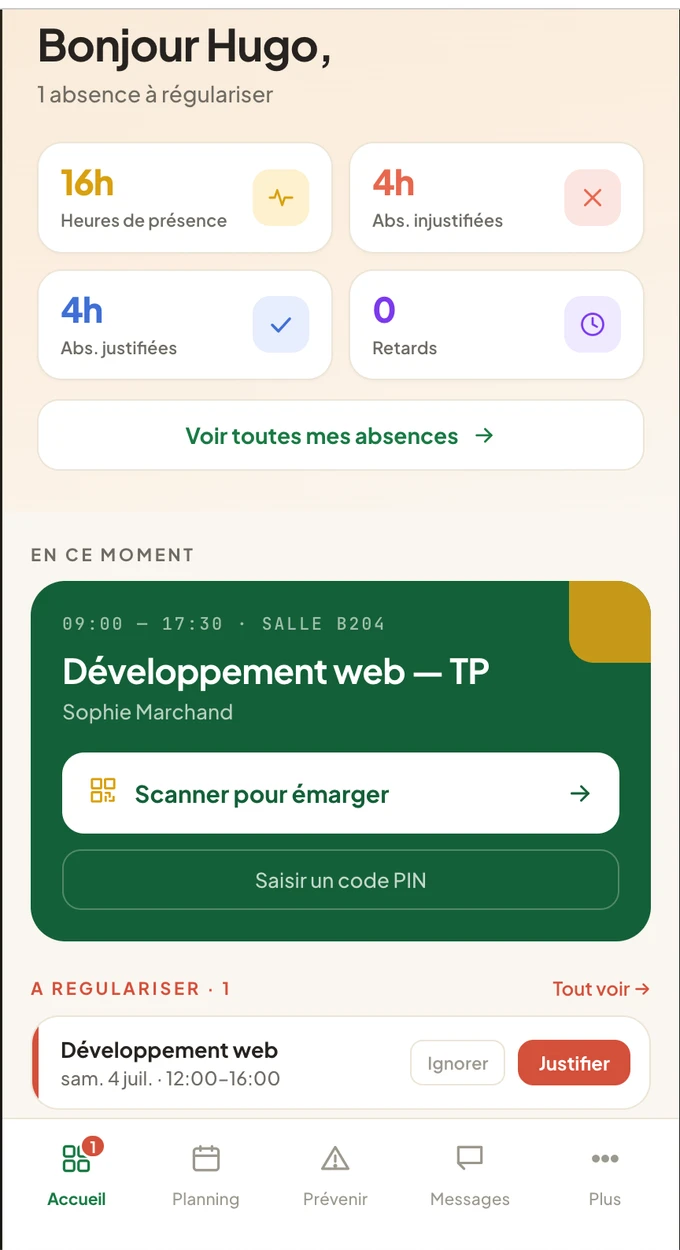
Scan the dynamic QR code shown in the room (or type the 6-digit code), sign by hand with a finger, get immediate confirmation. Attendance is signed in seconds, in the room or remotely.
Upcoming sessions, today's lessons and a personal attendance calendar: each learner sees their attendance, absences and late arrivals, and follows their attendance rate in real time.
An absence? The learner reports it, photographs their supporting document and follows its status (submitted, approved or rejected) without going through the office or losing a piece of paper.
Direct conversations and class groups, voice messages, push notifications and polls from the centre: communication goes through the app, not through personal phone numbers.
On Android, the app is downloaded from Google Play. On iPhone, and on any device, it can also be installed directly from the browser, with nothing to download.
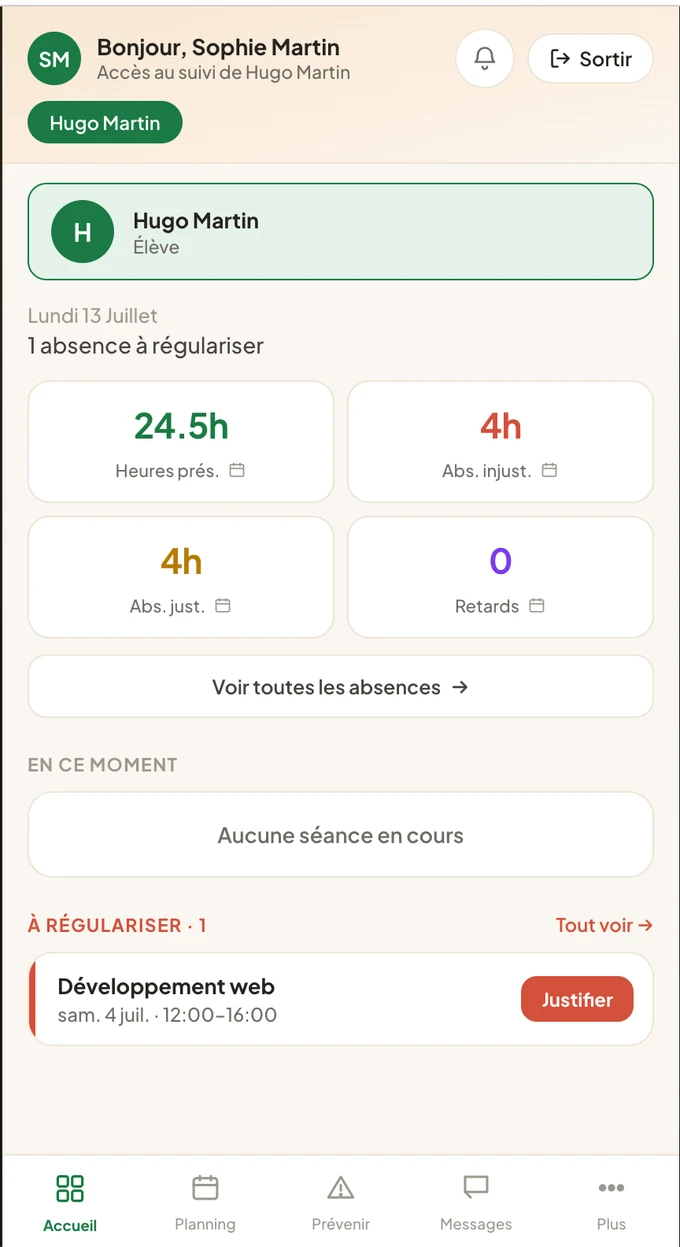
Parents of under-age learners, tutors and employers have their own app. They follow attendance without calling the office, and the centre gains a valuable ally.
Through the browser, one link shared on the first day of term is enough to equip a whole cohort: no store account to create, no heavy download. This is decisive when installing the app for dozens of learners at once.
New features and fixes reach everyone automatically, at the same time, whether the learner came through Google Play or their browser. No update campaign to organise on the centre's side.
The Android app is published on the store, free of charge: centres that prefer to send their learners there find the same app, connected to the same account. The iPhone version is being published.
Yes. On Android, the app is downloaded from Google Play. On iPhone, it is installed from the browser onto the home screen, with no need for a recent model; an App Store version is in preparation. The learner gets exactly the same experience whatever their device: sign-in by scanning the QR code or typing the code, handwritten signature with a finger, timetable, absence notes and messaging. This matters for training centres: no learner is left out because of their phone.
On Android, yes: the app is published on Google Play, free of charge. On iPhone, not yet: the app is being published there, and in the meantime it installs from the browser in two steps. The browser route remains available everywhere, Android included, for anyone who prefers not to download anything: it needs no store account and updates itself. This is what makes deployment simple for the centre: a single link is enough to equip a whole cohort on the first day of term.
Yes. Once the app is installed (from Google Play on Android, on the home screen on iPhone) and notifications are accepted, the learner receives push notifications: sign-in opening, messages from the centre or from their groups, attendance confirmations, polls. Parents, tutors and employers can also be notified of their learner's absences and late arrivals. The aim is the same everywhere: the information arrives by itself, at the right moment, rather than everyone having to remember to open the app and check.
The app for parents, tutors and employers is intended for parents of under-age learners and for tutors, including workplace tutors. They can follow their learner's attendance in real time (attendance, absences, late arrivals), receive notifications, report an upcoming absence and upload an absence note directly from their phone. One account can follow several learners, which makes life easier for families and workplace tutors alike. They only see information about their own learner or learners, nothing else.
Their hours, their timetable, their attendance calendar, and the means to report or justify an absence.
Test the app on your own phone now, or create your trial space in a few minutes. The ScolaSign interface is being translated into English. Contact us to find out when it will be available for your centre.